Browse and export the audit log
You will learn how to filter the workspace audit log, inspect event detail (including AI actions), and export matching rows as CSV or NDJSON.
Only workspace owners and admins can view or export the audit log.
1. Open the audit log
- Open your workspace.
- Choose Settings > Audit log under Security & data.
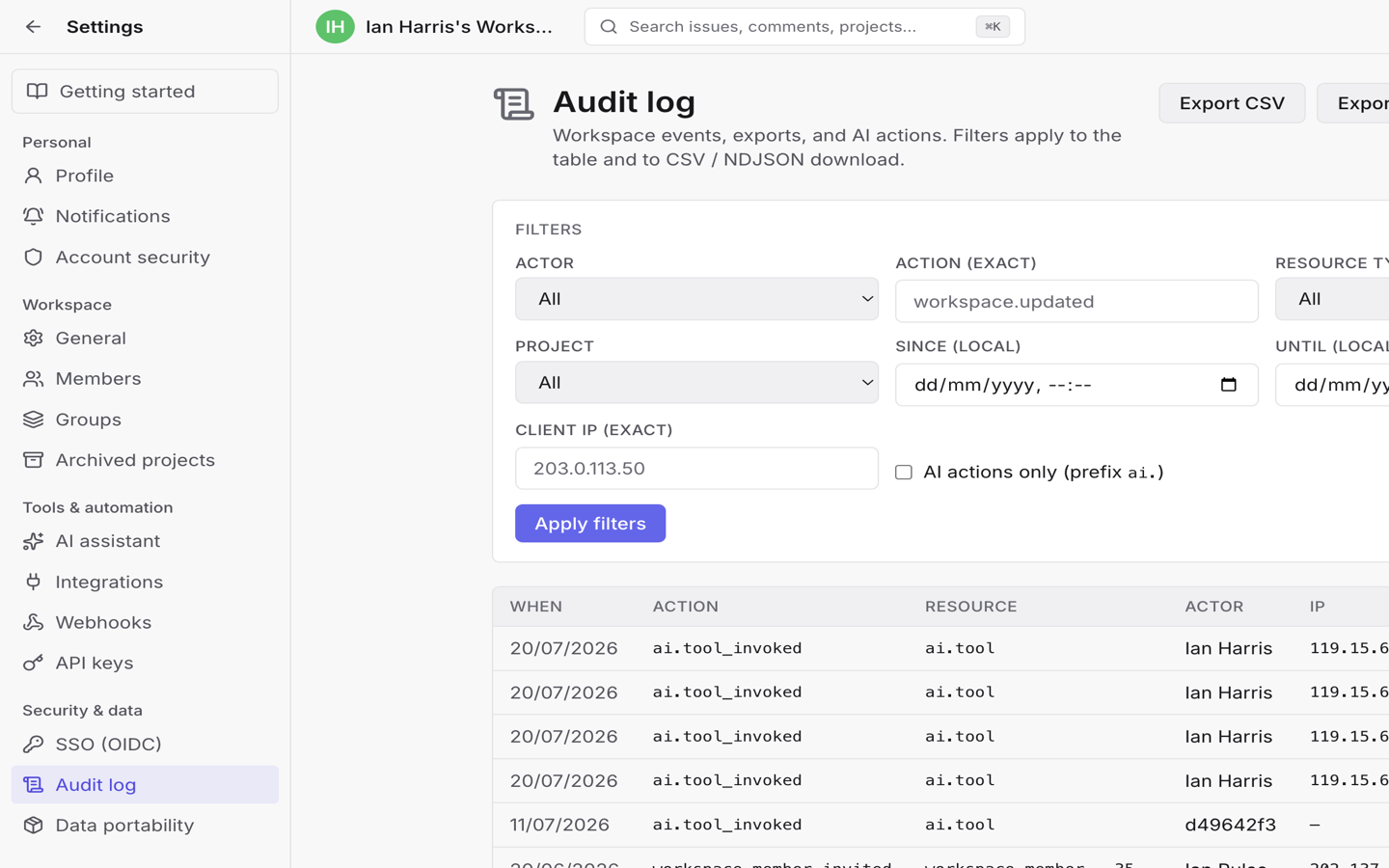
The page lists workspace events such as membership changes, settings updates, API key lifecycle, SSO sign-ins, and AI tool invocations.
2. Filter events
Use the filters, then choose Apply filters. Filters apply to both the table and downloads.
| Filter | Use it for |
|---|---|
| Actor | A specific member |
| Action (exact) | Exact action names such as workspace.updated |
| Resource type | Presets such as workspace, project, issue |
| Project | Events tied to one project |
| Since / Until | Local date-time range |
| Client IP (exact) | A specific client address |
| AI actions only | Actions with the ai. prefix |
Empty results show No events match these filters. Use Refresh or Load more (50 rows per page) while browsing.
3. Inspect an event
Click a row to open the Audit event drawer.
You can review time, actor, resource, client IP, optional before/after payloads, and the full payload JSON (large payloads may be truncated for display). When Tixio can map the resource, use Open related page.
4. Export
Choose:
- Export CSV — spreadsheet-friendly download.
- Export NDJSON — one JSON object per line (the API also accepts
jsonas an alias for this stream).
Exports respect the filters currently applied. If the result set exceeds the export cap (50,000 rows), narrow the date range or other filters and try again.
What AI actions look like
Enable AI actions only to focus on assistant activity. Typical entries use
actions such as ai.tool_invoked with resource type ai.tool. Pair this with
AI assistant and chat when you need the
product behavior behind the audit row.
Limits to expect
- The log is append-only — there is no delete or edit in the UI.
- It is a compliance-oriented workspace event store, not a full substitute for every issue activity feed.
- Members without owner/admin role cannot open this page.
Next
- Configure workspace SSO if you are auditing organization sign-in.
- Connect MCP and the API for API key lifecycle events you may filter here.
- Export and import workspace data when you need a full archive rather than an audit extract.